Epson Error 000041? Easy Troubleshooting Guide (2026)
Quick Fix: What Is Epson Error 000041?
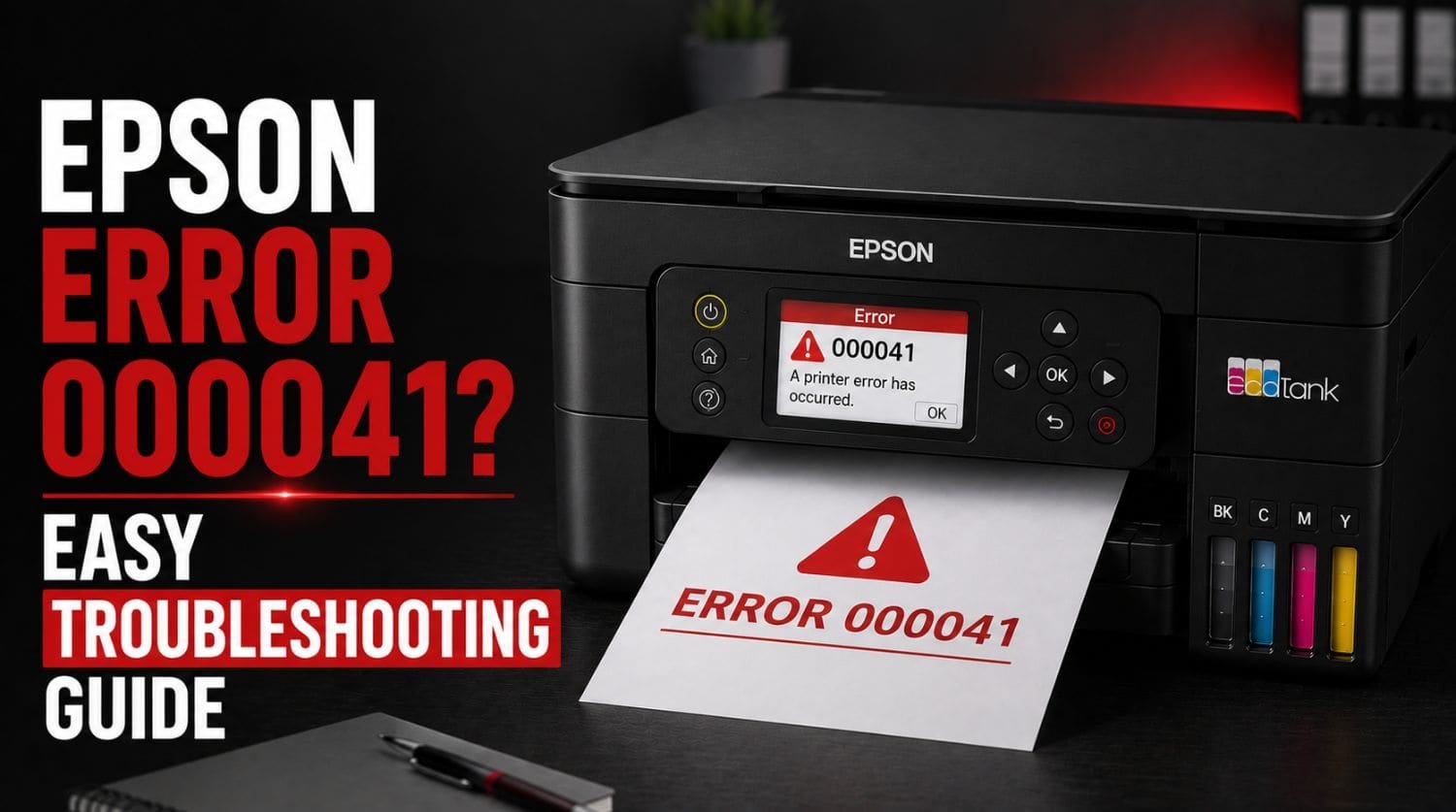
Epson Error 000041 is a startup-related printer error that occurs when the printer cannot complete its initialization process. It is commonly caused by carriage movement problems, internal obstructions, mechanical faults, firmware issues, or communication failures during startup.
The Solution:
In many cases, the error can be fixed by restarting the printer, checking for obstructions, inspecting the carriage path, and updating firmware before professional service becomes necessary.
Table of Contents
- Introduction
- What Causes Epson Error 000041?
- Common Causes of Epson Error 000041
- Common Symptoms of Epson Error 000041
- Fix 1: Perform a Full Power Reset
- Fix 2: Check for Paper Jams
- Fix 3: Inspect the Carriage Path
- Fix 4: Verify Carriage Movement
- Fix 5: Remove Foreign Objects
- Fix 6: Check the Encoder Strip
- Fix 7: Disconnect External Connections
- Fix 8: Update Epson Firmware
- Fix 9: Reinstall Printer Drivers
- Fix 10: Check for Scanner-Related Issues
- Error 000041 vs Error 034004
- When Error 000041 Requires Professional Repair
- How to Prevent Epson Error 000041
- Quick Troubleshooting Checklist
- Frequently Asked Questions
- Final Thoughts
Introduction
If your Epson printer displays Error 000041, the printer has detected a problem while starting up.
The error often appears immediately after powering on the printer and usually prevents normal printing operations.
Users commonly see messages such as:
- Epson Error 000041
- Printer Error 000041
- Initialization Error
- Turn Printer Off and On Again
Because the error appears during startup, many users assume the printer has suffered a major hardware failure.
Fortunately, that’s not always the case.
In many situations, Error 000041 is caused by temporary startup issues, carriage obstructions, sensor problems, or firmware-related conflicts that can be resolved without replacing the printer.
This guide explains what Epson Error 000041 means, what causes it, and the proven fixes you should try before contacting Epson support.
For a complete overview of Epson error codes, visit: Epson Printer Error Codes Explained: Complete Fix Guide (2026)
What Causes Epson Error 000041?
Error 000041 typically occurs when the printer fails one of its startup checks.
During initialization, Epson printers test:
- Printhead movement
- Carriage positioning
- Internal sensors
- Communication systems
- Mechanical components
If a fault is detected, the startup sequence stops and Error 000041 appears.
Common Causes of Epson Error 000041
The most common causes include:
- Carriage obstruction
- Paper scraps inside the printer
- Startup sensor failure
- Printhead movement issue
- Internal mechanical resistance
- Firmware corruption
- Electrical communication problems
- Initialization failure
Identifying the underlying cause is the key to resolving the error.
Common Symptoms of Epson Error 000041
Users frequently report:
- Error appears immediately after startup
- Printer freezes during initialization
- Printer will not reach ready status
- Carriage movement stops unexpectedly
- Clicking or grinding noises
- Repeated restart requests
- Printing becomes impossible
These symptoms usually indicate a startup-related problem.
Fix 1: Perform a Full Power Reset
The first step should always be a complete power reset.
Steps
- Turn off the printer.
- Disconnect the power cable.
- Remove USB and network cables.
- Wait 5 minutes.
- Press and hold the power button for 30 seconds.
- Reconnect power.
- Turn the printer back on.
This clears temporary electrical and initialization errors.
Fix 2: Check for Paper Jams
Even a small piece of paper can interrupt the startup process.
Inspect:
- Rear paper path
- Input tray
- Output tray
- Internal feed area
Look for:
- Torn paper fragments
- Labels
- Dust buildup
Carefully remove anything blocking movement.
Fix 3: Inspect the Carriage Path
The printhead carriage must move freely during startup.
Steps
- Turn off the printer.
- Open the printer cover.
- Locate the printhead carriage.
- Inspect the entire carriage path.
Check for:
- Paper scraps
- Packaging materials
- Dust accumulation
- Foreign objects
Any obstruction may trigger Error 000041.
Fix 4: Verify Carriage Movement
Startup errors often occur when the carriage cannot move correctly.
With the printer powered off:
- Gently inspect carriage movement.
- Check for resistance.
- Ensure nothing is blocking the rail.
The carriage should move smoothly.
Do not force movement aggressively.
Fix 5: Remove Foreign Objects
Small objects frequently cause startup failures.
Common examples include:
- Paper clips
- Staples
- Plastic fragments
- Pen caps
- Sticky labels
Use a flashlight to inspect the interior carefully.
Many users discover hidden objects causing the error.
Fix 6: Check the Encoder Strip
The encoder strip helps the printer determine carriage position.
If dirty, the printer may fail startup checks.
Inspect for:
- Dust
- Ink residue
- Smudges
If necessary, clean carefully using a lint-free cloth.
Avoid applying excessive pressure.
Fix 7: Disconnect External Connections
Occasionally, startup conflicts occur because of connected devices.
Disconnect:
- USB cables
- Ethernet cables
- Wireless accessories
Start the printer using only the power cable.
If the error disappears, reconnect devices one at a time.
Fix 8: Update Epson Firmware
Firmware corruption may contribute to initialization problems.
If the printer still allows maintenance access:
- Open Epson software.
- Check for updates.
- Install available firmware.
- Restart the printer.
Firmware updates often improve startup reliability.
Fix 9: Reinstall Printer Drivers
Driver corruption can sometimes interfere with communication during startup.
Steps
- Remove Epson printer drivers.
- Restart the computer.
- Download the latest Epson drivers.
- Reinstall the printer.
This eliminates software-related conflicts.
Fix 10: Check for Scanner-Related Issues
Some Epson all-in-one printers may trigger startup errors when the scanner fails initialization.
Inspect:
- Scanner lid
- Scanner rail
- Scanner lock mechanism
If scanner movement appears restricted, further troubleshooting may be required.
For related issues, see: Epson Error 0xEA? Fix Scanner and Carriage Issues
Error 000041 vs Error 034004
These two Epson startup errors are often confused.
| Error Code | Typical Cause | Severity |
| 000041 | Startup failure or movement issue | Medium |
| 034004 | Initialization and communication failure | Medium |
While both occur during startup, Error 034004 is more closely associated with initialization processes and internal communication.
For detailed troubleshooting, see: Epson Error 034004? How to Fix Printer Initialization Errors
When Error 000041 Requires Professional Repair
Professional service may be needed if:
- Error persists after all troubleshooting
- Carriage motor fails
- Internal sensors malfunction
- Mechanical components are damaged
- Startup sequence repeatedly fails
Persistent startup failures often indicate deeper hardware issues.
How to Prevent Epson Error 000041
You can reduce future startup problems by following good printer maintenance practices.
Keep the Printer Clean
Dust and debris increase the risk of movement errors.
Remove Paper Carefully
Always remove jammed paper slowly and completely.
Update Firmware Regularly
Firmware updates improve stability and startup performance.
Avoid Foreign Objects
Keep small items away from the printer.
Inspect the Paper Path
Regular inspections help catch problems before they trigger errors.
Quick Troubleshooting Checklist
- ✅ Restart the printer
- ✅ Disconnect power for 5 minutes
- ✅ Check for paper jams
- ✅ Inspect carriage path
- ✅ Verify carriage movement
- ✅ Remove foreign objects
- ✅ Check encoder strip
- ✅ Disconnect external cables
- ✅ Update firmware
- ✅ Reinstall drivers
- ✅ Test printer again
Frequently Asked Questions
What does Epson Error 000041 mean?
Error 000041 usually indicates a startup or initialization problem involving carriage movement, sensors, or internal mechanical components.
Can a paper jam cause Error 000041?
Yes. Even small paper fragments can prevent proper startup and trigger the error.
Is Epson Error 000041 serious?
Not usually. Many cases are caused by obstructions or startup issues that can be fixed at home.
Can I fix Epson Error 000041 myself?
Yes. Most users can resolve the issue by removing obstructions, checking carriage movement, and performing a power reset.
Does Error 000041 mean the printer is damaged?
Not necessarily. Many startup errors are temporary and do not indicate permanent hardware failure.
Final Thoughts
Epson Error 000041 is a common startup error that occurs when the printer cannot complete its initialization process.
Fortunately, most cases are caused by:
- Paper jams
- Carriage obstructions
- Sensor issues
- Firmware problems
- Startup conflicts
By following the troubleshooting steps in this guide, many users can restore normal printer operation without professional repair.
Start with the simple fixes first, and if the error continues after all troubleshooting steps, professional diagnosis may be required to identify deeper mechanical or hardware problems.