
Best Office Printer for High Volume Printing: Top Choices for Busy Offices
Finding the right printer for a busy office is crucial to maintaining productivity and efficiency. The best office printer for high volume printing ensures large workloads are handled smoothly, delivering fast, reliable, and professional-quality prints. Modern offices need printers that go beyond simple printing, offering multifunction features such as scanning, copying, and faxing. Choosing a printer designed for high-volume tasks reduces downtime, minimizes maintenance, and keeps employees focused on their work.
High-volume printing requires devices that can handle thousands of pages monthly without compromising performance. Selecting the right printer affects workflow efficiency, reduces operational costs, and supports seamless office operations. In this article, we explore top Epson printers that excel in high-volume office printing, highlighting their key features, advantages, and why they are trusted by businesses of all sizes.
Why Choosing the Right Printer Matters
Choosing the best office printer for high volume printing is essential for business efficiency. High-volume printers are built to handle large workloads with speed, reliability, and consistent quality. They often include larger paper capacities, advanced ink or toner systems, and multifunction capabilities to support scanning, copying, and faxing. The right printer reduces workflow interruptions, ensures professional results, and saves time and costs for offices that rely on frequent printing, ultimately enhancing productivity and supporting seamless document management.
Top Epson Printers for High-Volume Office Use
Epson offers a wide range of printers designed to handle high-volume workloads efficiently. These printers combine speed, multifunction features, and reliability, making them ideal for offices that require professional-quality prints without downtime.
Epson WorkForce Pro WF-C579R Copier
The Epson WorkForce Pro WF-C579R is built for offices needing fast, reliable printing with minimal interruptions. It delivers both color and monochrome prints efficiently.
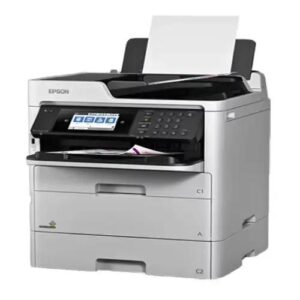
Key Highlights:
- Print speed up to 24 ppm
- High-yield ink cartridges for fewer replacements
- Automatic duplex printing and scanning
- Large paper capacity
- Multifunction copying and scanning
Epson WorkForce Enterprise AM-C4000 Copier
Designed for enterprise-level use, the Epson WorkForce Enterprise AM-C4000 offers fast, consistent printing and supports heavy workloads for busy offices.
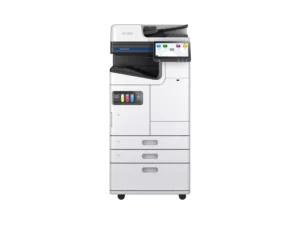
Key Highlights:
- Print speed up to 40 ppm
- High monthly duty cycle
- Advanced finishing options
- Multifunction capabilities, including scanning and faxing
- Network and mobile printing support
Epson WorkForce Pro WF-C5890 Color Copier
The Epson WorkForce Pro WF-C5890 provides professional-quality color printing at high speeds, suitable for mid-sized offices with varied document needs.
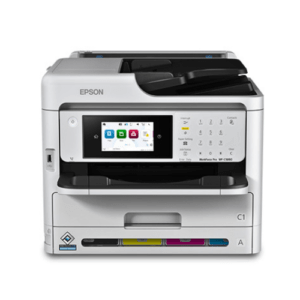
Key Highlights:
- Print speeds up to 24 ppm
- PrecisionCore technology for sharp prints
- Automatic duplex printing
- High-capacity ink system
- Multifunction scanning and copying
Epson WorkForce Pro WF-C879R DWF Multifunction Printer
The Epson WorkForce Pro WF-C879R is designed for high-volume workloads, ensuring consistent output quality with minimal downtime.
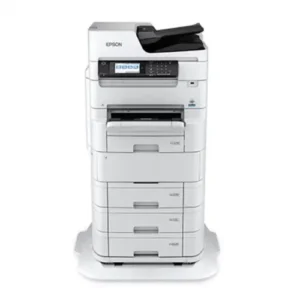
Key Highlights:
- Fast print speeds up to 36 ppm
- Duplex printing and scanning
- High-volume ink system
- Robust paper handling
- Network-ready and cloud-enabled printing
Epson WorkForce Enterprise WF-C20590 Copier
Ideal for large offices, the Epson WorkForce Enterprise WF-C20590 delivers enterprise-level performance with fast speeds and professional-quality prints.
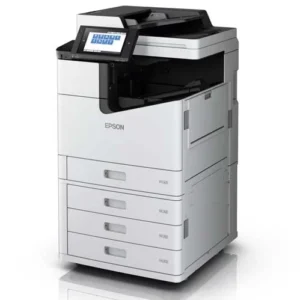
Key Highlights:
- Print speed up to 100 ppm
- Heavy-duty monthly duty cycle
- Multifunction scanning and copying
- Large capacity trays and finishing options
- Energy-efficient design
Key Features to Consider in High-Volume Printers
Selecting a high-volume printer requires attention to performance, capacity, and functionality to meet office needs.
- High print speed for efficiency
- Large paper and ink/toner capacity
- Multifunction scanning, copying, and faxing
- Network and mobile connectivity
- Low maintenance and cost-efficient operation
Conclusion
Choosing the best office printer for high volume printing is critical for maintaining productivity and efficiency in busy office environments. Printers like the Epson WorkForce series provide speed, multifunction capabilities, and reliability, making them ideal for teams managing large document workflows. Investing in a high-volume printer reduces downtime, lowers operational costs, and ensures professional-quality output for all office tasks.
By evaluating print speed, duty cycle, paper handling, and multifunction features, offices can select a printer that meets current and future printing needs. A dependable high-volume printer streamlines workflows, supports team productivity, and ensures employees have access to efficient printing whenever required.
FAQs
- What is a high-volume office printer?
A high-volume office printer is designed to handle thousands of pages per month with high speed, large paper capacity, and durable ink or toner systems. - Are Epson printers suitable for heavy workloads?
Yes, Epson WorkForce Enterprise and Pro series printers are specifically built to handle high-volume printing efficiently while maintaining quality output. - Do multifunction printers support high-volume printing?
Absolutely. Multifunction printers such as the WF-C879R allow printing, scanning, copying, and faxing without slowing down under heavy workloads. - How do I know if a printer can handle my office volume?
Check the printer’s duty cycle, print speed, paper capacity, and ink/toner yield to ensure it matches your office’s printing requirements. - Are ink tank printers cost-effective for high-volume offices?
Yes, printers with high-yield ink systems reduce refill frequency and lower the cost per page, making them ideal for heavy office printing.